2026-05-12
Swipefin: A One-Day Build for Solving the "What Do We Watch" Problem
For a few years now, I've been running a self-hosted Jellyfin server on an old Dell Optiplex with an upgraded SSD, alongside my NAS drive, which serves as a private streaming platform for myself and my family. Jellyfin is an open-source media server in the same vein as Plex or Emby, and it gives you a Netflix-like interface over whatever library you've built up, handling transcoding, metadata scraping, and user management with no subscription required. My server has grown into a fairly substantial library at this point, which is great for having options but quietly terrible for actually making a decision about what to watch.
The "what do we watch tonight" problem is genuinely one of the more friction-heavy parts of an evening in. You're both tired, you both have different moods, and scrolling through a library of over a thousand titles while one person says "no, not that" and the other one shrugs is an experience that doesn't get better with scale. Dating apps solved a version of this problem years ago with the mutual-match mechanic: you only find out someone liked you when you've liked them back, which removes the pressure of declaring your preference upfront and makes the moment of agreement feel like a small, satisfying event. I wanted that same mechanic, but for movies and shows!
So I built Swipefin over the course of a single day, and this is the story of how that went.
The Concept
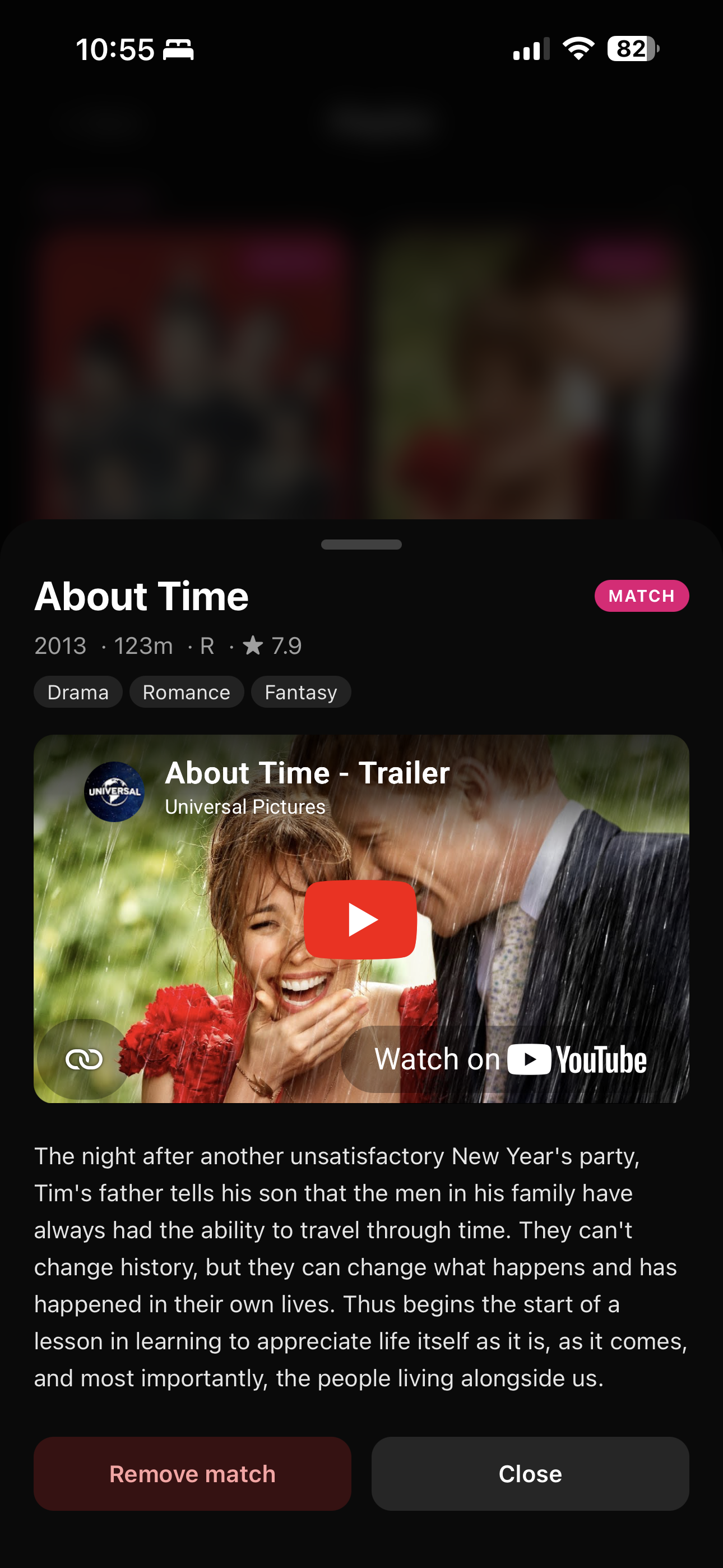
The idea is simple enough to explain in one sentence: two paired users swipe through their shared Jellyfin library on their phones, and when both of them swipe right on the same title, they get a match notification with a synopsis, an embedded YouTube trailer, and the mutual understanding that this is the one they're putting on. It doesn't require any coordination before you start swiping, and it doesn't reveal what the other person has already liked until you've both landed on something in common, which preserves enough mystery to make matching feel kinda fun.
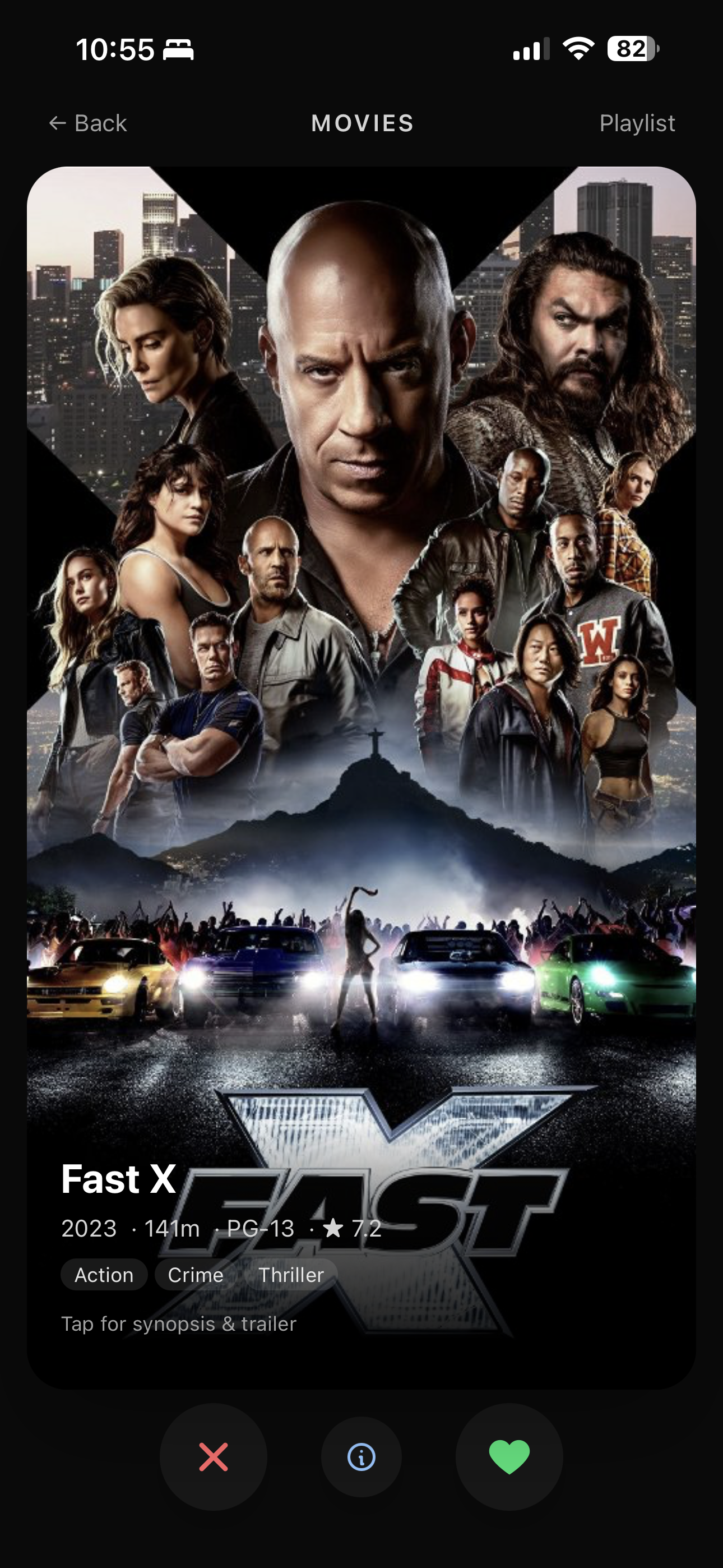
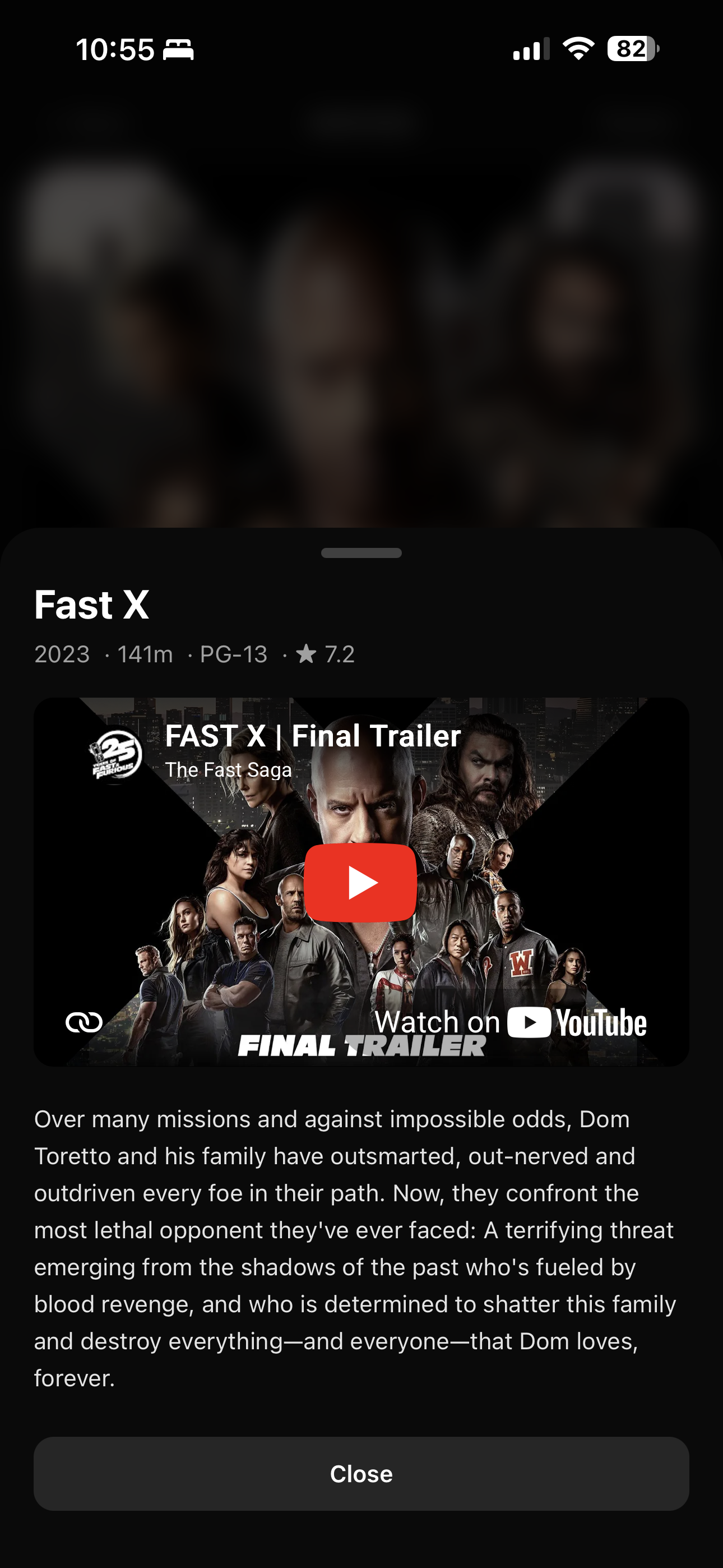
Because the app authenticates directly against Jellyfin credentials, there's no separate account to create. If you're already a user, you can log into Swipefin with the same username and password, and your library is already there waiting for you.
Stack Choices
I reached for SvelteKit with TypeScript in Svelte 5's runes mode, which I've been enjoying for its ergonomics, especially the way reactivity is now explicit and composable rather than relying on compiler inference. Tailwind CSS v4 handled the styling (love), and for hosting I used Vercel, deploying automatically on every push to the GitLab repo. Vercel is awesome and I love the UI.
The original plan was a self-hosted build using adapter-node, SQLite via better-sqlite3, and Server-Sent Events for pushing match notifications in real time. That version came together quickly and worked well in a local Docker environment, but when the goal shifted to a Vercel deploy, three things broke immediately. SQLite requires a persistent disk, which Vercel's serverless functions don't have. Server-Sent Events rely on shared in-process state to route pushes to the right connected clients, which is impossible when each function invocation is isolated. And adapter-node needed to become adapter-vercel. I swapped SQLite for Neon Postgres through the Vercel Storage marketplace, replaced the SSE pub/sub model with a polling endpoint that each client hits every three seconds, and the rest of the refactor was largely mechanical: replacing synchronous db.prepare() calls with async tagged-template SQL and adding await where it was missing. The schema bootstraps itself with CREATE TABLE IF NOT EXISTS calls wrapped in a Promise-guarded ensureSchema() function, which runs once per warm serverless instance and requires no separate migration step.
One small detail I liked: rather than toggling the cookie Secure flag through an environment variable, the app derives it from event.url.protocol. That means it works over plain HTTP locally and correctly requires HTTPS in production without any manual configuration.
The Deck Ordering Problem
Early testing revealed a problem that should have been obvious in hindsight: a randomly ordered library of over 1,600 titles meant that the chance of two people independently landing on the same title within a reasonable swiping session was extremely low. The first version sorted alphabetically, which made it worse, since both users would converge on A's and B's while the rest of the library sat untouched.
Two changes fixed this. The first was switching to Jellyfin's SortBy=Random parameter, which re-rolls the seed on every request and required some over-fetching logic to handle edge cases near the end of the library. The second was a partner-priority injection: up to 20% of each batch (with a minimum of three items) is drawn from titles your partner has already right-swiped and that you haven't seen yet. These items are interleaved into the random fill and the whole set is shuffled, so the mechanism is invisible but the match probability goes up meaningfully. An earlier version naively stacked priority items at the top of the deck, which looked visually broken when a partner had only a handful of likes, and the interleaving fix made the whole thing feel much more natural.
Left-swipes expire after seven days, implemented as a lazy filter in the library query rather than a scheduled cleanup job. This means that if you hard-pass on something on a Tuesday and your partner loves it, you'll get another chance at it the following week without either of you having to do anything.
The Playlist Page
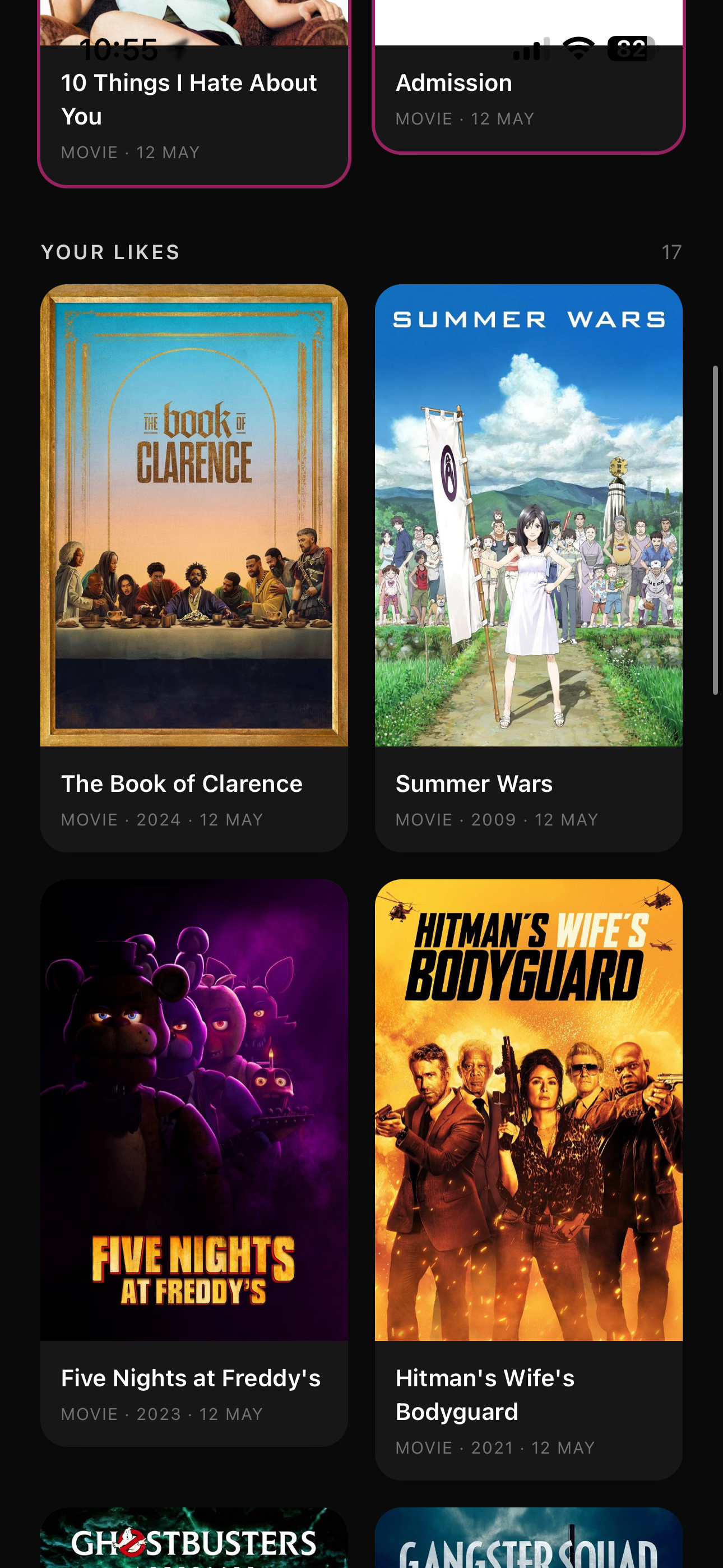
Beyond the swipe deck itself, there's a playlist page that serves two purposes. At the top, it surfaces all mutual matches with a visual treatment and a Remove button if you change your mind. Below that, it shows your own unmatched right-swipes, so you can remember what you've said yes to without knowing whether your partner has seen it yet. This asymmetry was deliberate: showing both users' solo likes before a match would undermine the mechanic, so the page is intentionally private.
Each card opens a bottom-sheet modal with the poster, year, runtime, rating, genres, an embedded YouTube trailer, and a synopsis, all fetched in a single round-trip through a detail endpoint that combines Jellyfin metadata with a TMDB trailer key. The trailer lookup is in-memory cached for 24 hours, keyed on the Jellyfin item's TMDB provider ID, which keeps latency reasonable without adding any infrastructure.
Poster images are proxied through a server-side endpoint so the Jellyfin access token never reaches the client, which is the kind of small security detail that's easy to skip on a one-day build but tends to matter later.
Making It a Real Thing
The app is live and running on a custom subdomain with a Let's Encrypt cert auto-provisioned by Vercel and HSTS enabled. GitLab CI runs a typecheck and build on every push and merge request, which has already caught a couple of type errors before they reached the live environment. The PWA manifest is in place so both of us can install it to our home screens, which gives it the full-screen native feel that makes the swipe gestures actually satisfying to use.
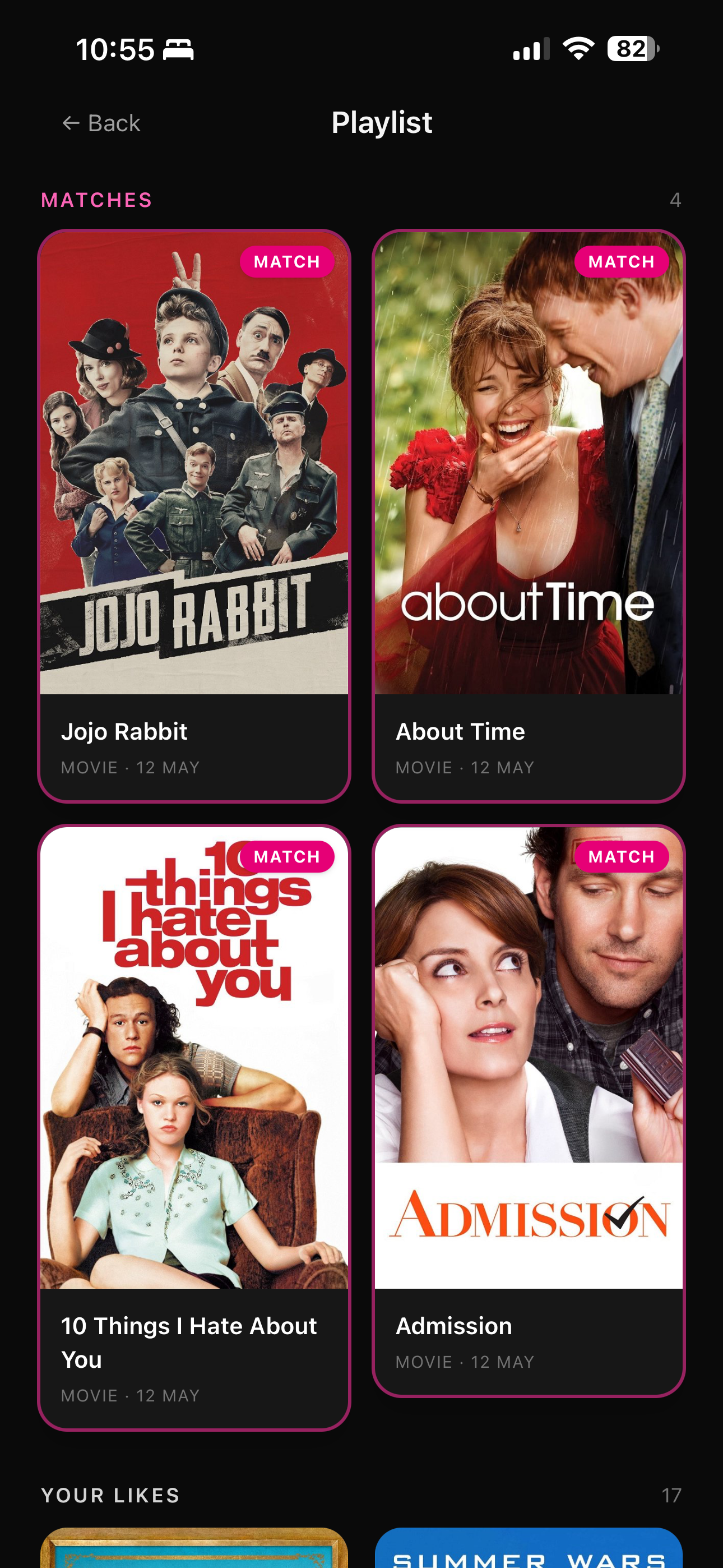
The iOS safe-area handling ended up being the most fiddly part of the whole build, as it usually is. The home indicator was clipping the swipe action buttons when the app was running in standalone PWA mode, which took a round of replacing h-screen with h-dvh, adding pt-safe and pb-safe utilities via a Tailwind v4 @utility block, and carefully auditing every page for any fixed bottom elements that might hide behind the gesture bar.
What's Next
There are a handful of things I'd like to come back to. The match notification currently just shows the title and a trailer; a direct deep-link into the Jellyfin player would be a satisfying next step and technically pretty straightforward. The pair model right now assumes exactly two users, and extending it to a group of friends would require moving from a single partner_user_id column to a proper pairs or groups table. And the PWA icons are still placeholders, a pink rounded square with an "S" that I generated in about 90 seconds, which is fine for now.
Mostly though, it works, and looks nice, and that's the point :D